In recent years, the number of people studying and experimenting with AI has grown rapidly. Without safeguards, they might accidentally end up downloading malware hidden in free AI models and Python scripts. In this blog, I explore current solutions for scanning AI artifacts for malware and vulnerabilities, and build my own streamlined tool to protect my lab.
As an AI hobbyist, it’s easy to accidentally download malicious AI artifacts, including models, scripts, and notebooks, from sources like GitHub or Hugging Face. For instance, about 100 Hugging Face models were found to execute malicious code last year [1].
To address this risk, my first goal for this blog is to develop a straightforward way to scan all downloaded AI artifacts for safety before using them.
There are many types of AI artifacts, but the focus here will be on:
- Python scripts and Jupyter notebooks
- Their dependencies
- Saved models
Static analysis is a commonly used method to detect malicious code in Python scripts and Jupyter notebooks. Tools like Bandit follow that method to scan for common insecure patterns (e.g., shell injections via os.system()). It doesn’t run the code; instead, it passes it into an Abstract Syntax Tree (AST) and flags bad patterns.
Even if Python code is secure, it may rely on vulnerable libraries. Software Composition Analysis (SCA) checks if code depends on packages with known CVEs. Tools like pip-audit examine the requirements.txt file and query PyPI’s advisory database to match packages against known vulnerabilities. To resolve dependencies, pip-audit temporarily installs packages in an isolated environment, which can be slow if there are many or unpinned dependencies.
Serialised models are also risky. Many models are saved using the Python module Pickle, but Pickle enables arbitrary code execution. A tool that can help prevent these attacks is ModelScan, an open-source project from Protect AI. It inspects serialised files without loading them to look for unsafe code.
To make protecting my lab easier, I built sanityML. It scans entire folders of AI artifacts and summarizes any detected security vulnerabilities, helping users quickly identify and address risks. The name refers to a “sanity check” for AI hobbyists like me.
sanityML orchestrates the tools bandit, pip-audit, and ModelScan, running them over the target directory to simplify the process. To keep the tool relatively future-proof (and avoid breakage from every pip-audit update that tweaks its output format), sanityML streams the tools’ raw output directly.
I tested the tool on a small controlled folder containing four unsafe artifacts:
(1) Requirements.txt
urllib3 < 1.26.5
This version has CVEs that pip-audit should catch.
(2) malicious_notebook.ipynb
import os
os.system('echo API_KEY=abc123')
Bandit should flag shell injections like this.
(3) malicious.py
import os
os.system("echo 'Hello from a dangerous shell call'")
Similarly to the Jupyter notebook, Bandit should also flag this shell injection.
(4) malicious_model.pkl
This model is generated using the make_malicious_model.py, which defines a MaliciousModel class that tells pickle to run a shell injection upon deserialisation. This injection will only be triggered if someone calls pickle.load(), making it suitable for testing.
import pickle
import os

class MaliciousModel:
    def __reduce__(self):
        # This will execute when unpickled
        return (os.system, ("echo 'MALICIOUS CODE EXECUTED — API_KEY=SECRET123'",))

with open("malicious_model.pkl", "wb") as f:
    pickle.dump(MaliciousModel(), f)

print("malicious_model.pkl created")
The model will be generated by running:
python make_malicious_model.py.
Results
Running the sanityML against my test folder yielded positive results.
First it discovered all the artifacts in the test folder.

Then it scanned the Python script, Jupyter notebook (after converting it to Python), requirements.txt and the model.
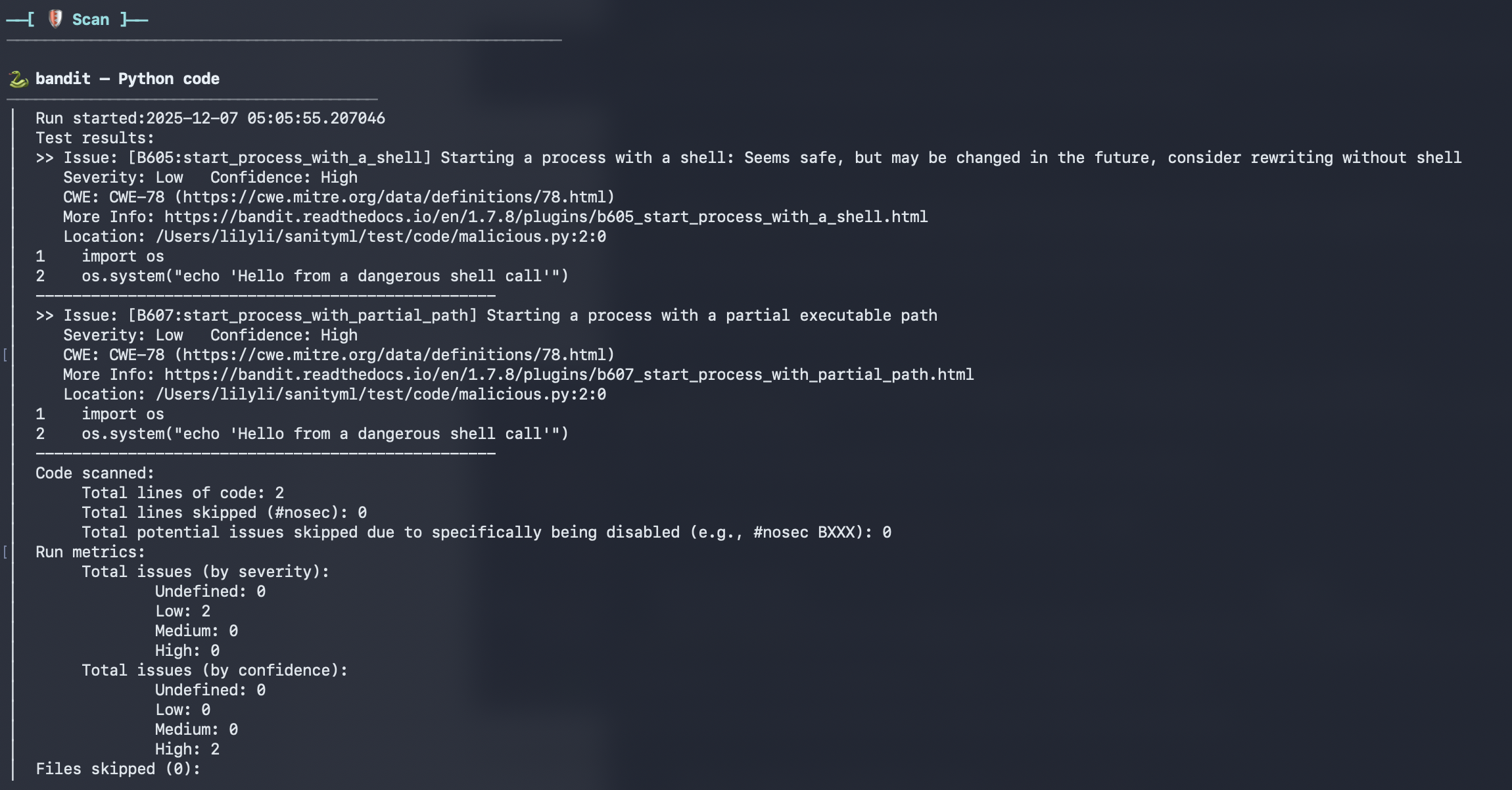
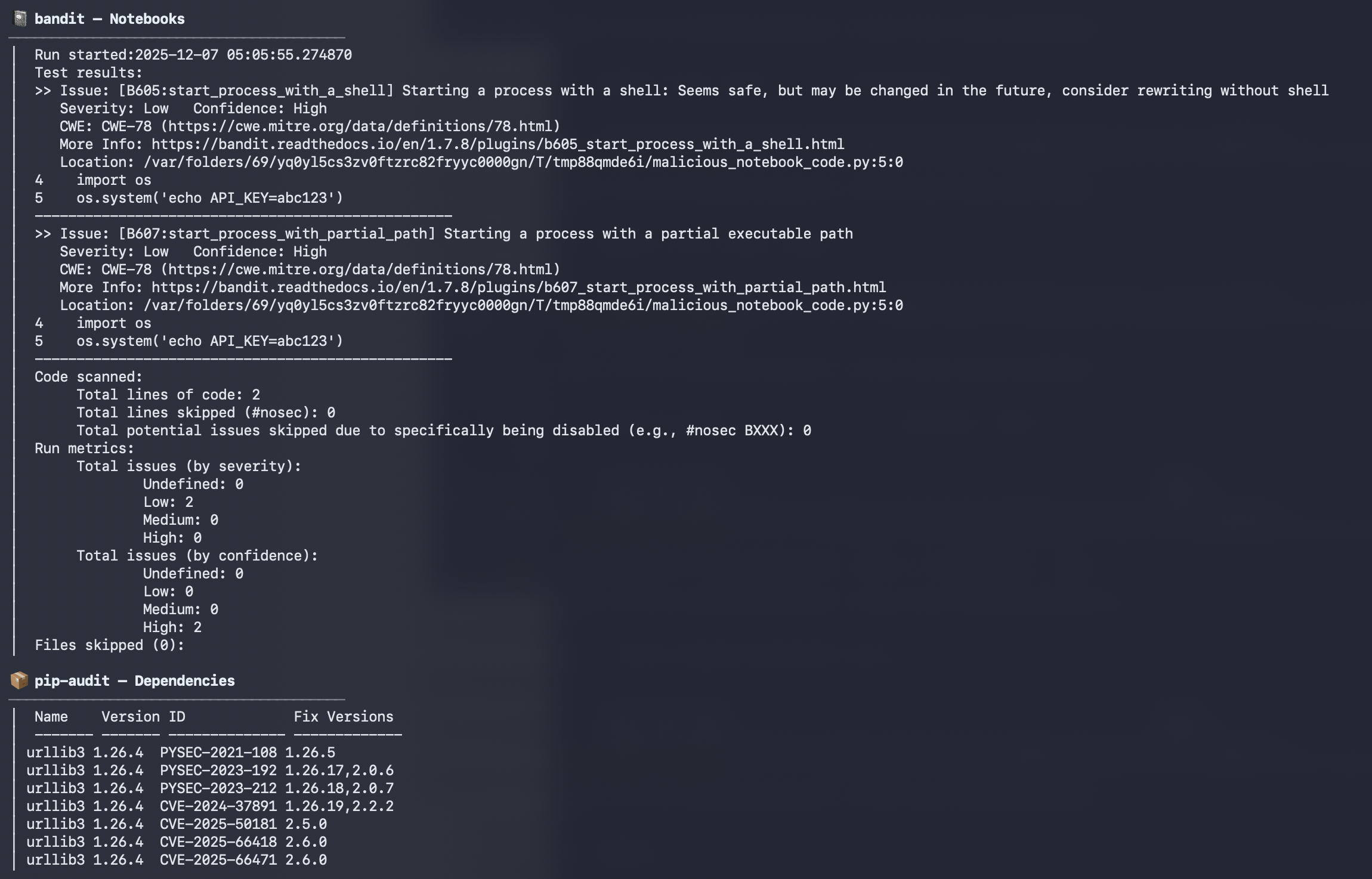
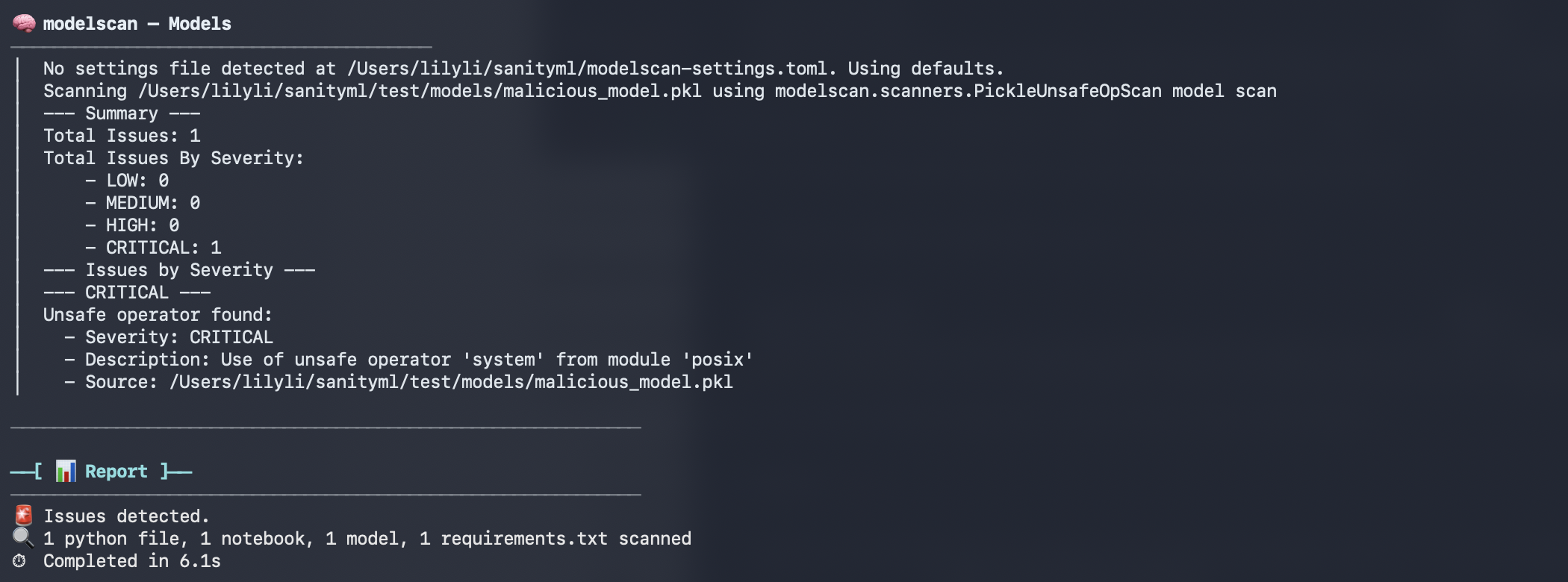
The tool detected all the expected vulnerabilities.
However, this tool has its limitations:
- pip-audit only finds known CVEs, not logic bugs or zero-days.
- ModelScan only covers deserialization risks, but AI models bring many more attack types, such as model backdoors
- It relies on the files already being downloaded and saved on the laptop, which itself is a risk.
When downloading Python scripts, notebooks, models, etc., it is critical to make a judgment of whether the source is trustworthy. I wouldn’t rely on sanityML alone to protect my lab.
If you think this sounds useful, you can try it on: https://github.com/lilysli/sanityml
Sources
[1] https://jfrog.com/blog/data-scientists-targeted-by-malicious-hugging-face-ml-models-with-silent-backdoor/